
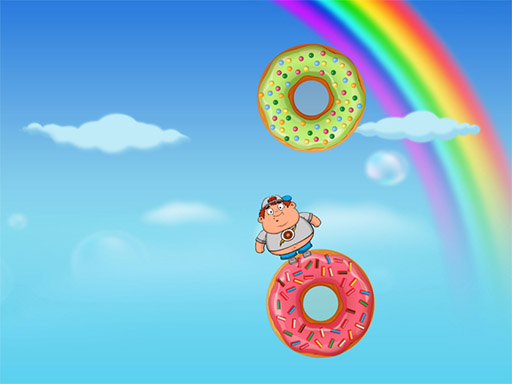
Arcade game
Fatboy Dream
A flight game where your own size is the difficulty. A large sprite makes every gap effectively narrower than it looks.
- Difficulty
- Moderate
- Platform
- Modern browser
Game overview
The joke in this format is also its mechanic: the character occupies a lot of the screen, so the usable space in any gap is much smaller than the visual opening suggests. That systematically misleads players used to slimmer avatars, who aim at the centre of a gap and clip its edge with a part of the sprite they were not thinking about. The correction is to aim at where the widest part of your character needs to be rather than where the character sits — and where size changes during play, to re-calibrate rather than trusting the spacing that worked a moment earlier.
This title is best suited to players who want a flight game with an unusual constraint rather than standard flapper spacing.
How to play Fatboy Dream
- Aim for the widest part of your character to clear, not the centre of the gap.
- Allow more margin than the visual opening suggests.
- Re-calibrate if the character changes size during a run.
- Approach gaps already at the right height rather than adjusting inside them.
Controls
- Click, tap, or hold to control altitude
Objectives and failure conditions
Objectives
- Progress as far as possible through the gap sequence
- Account for your own hitbox width when judging openings
The run ends or fails when
- Clipping a gap edge with part of the sprite
- Attempting to adjust altitude while already inside a gap
Gameplay mechanics
- An oversized character hitbox relative to gap widths
- Visual openings that overstate the usable space
- Size changes during play requiring recalibration
- Altitude control against constant descent
Tips for Fatboy Dream
- The gap is smaller than it looks. Add margin on every approach as a standing rule.
- Arrive at the correct height before the gap. There is no room to adjust once you are in it.
- If your size changes mid-run, forget the spacing that just worked and re-read the gaps.
What worked well and what did not
Pros
- The oversized hitbox is a genuinely distinctive constraint
- Deaths are legible once you understand what is clipping
Cons
- The mismatch between visual gap and usable gap can feel unfair before you adjust
- Limited variety beyond surviving longer
Player comments
No published comments yet.