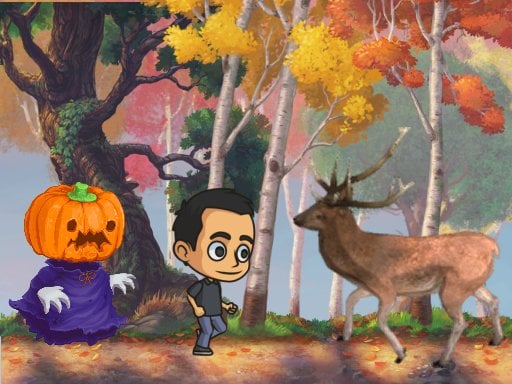
Autumn Endless Runner
3,718
Explore a serene wooded area during autumn, where vibrant colors greet you at every turn. However, your peaceful walk takes an eerie turn when a spooky pumpkin ghost begins to chase you. Sprint down the winding path to escape, tapping the screen to leap over various obstacles and wildlife. Stay alert and keep running to avoid being caught by the haunting figure behind you.
Recommended Games

★ 4.6
Raft Evolution
Movement uses WASD keys. Jump with Spacebar. Attack using left mouse button. Select hook tool with right mouse button. Access inventory with T key. Start crafting with Y key. Cancel building placement by pressing right mouse button. Rotate buildings using Q key.
6,094
★ 4.6
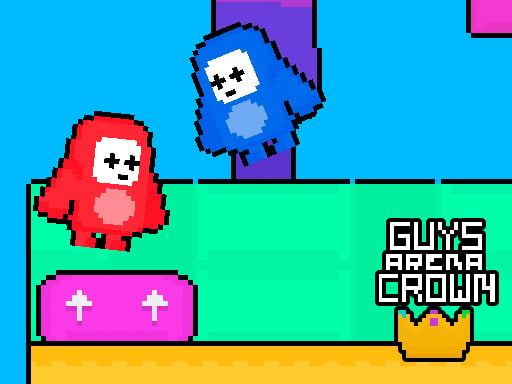
Guys Arena Crown
The red team uses WASD keys to navigate, while the blue team employs arrow keys for movement. Objective: Collect all crowns scattered across the map. The first team to gather all crowns wins the game.
7,042

★ 5.0
Pocong and Kuntilanak Terror Horror
Use WASD keys to navigate your character. W moves forward, S moves backward, A strafes left, and D strafes right. This controls allow for maneuvering in all cardinal directions within the game environment.
7,416

★ 4.9
Golden Sword Princess
Desktop: Tap C to attack, X to jump, and Spacebar or Enter to pause or resume. Mobile: Use the on-screen buttons to attack, jump, and toggle pause.
4,703

★ 4.5
Hole And Fill Collect Master
Click or tap the screen to interact and progress through the game. Use these inputs to trigger events, solve puzzles, and navigate levels. Engage with elements by pointing and clicking for a direct and intuitive experience.
6,713
★ 4.5
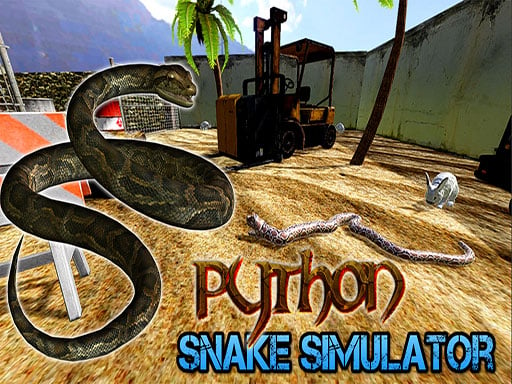
Python Snake Simulator
WASD or Arrow Keys control movement. Mouse moves the camera. Space or Left Mouse Button initiates Head Up mode. E toggles Head Up mode. Shift also toggles Head Up mode. R restarts the level. P opens the Pause Menu.
7,242
★ 4.6
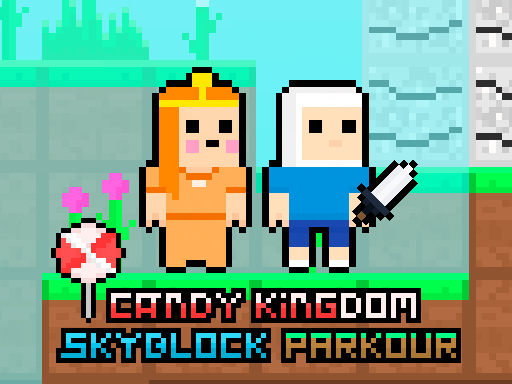
Candy Kingdom Skyblock Parkour
Use WASD or Arrow Keys to move. Double jump by pressing the space bar for extra height. Gather all candies scattered throughout levels to unlock the portal's creation. Navigate obstacles safely to reach the portal.
3,817
★ 4.6
BrotMax 2 Player
The red team uses WASD keys to move; the blue team uses arrow keys. Collect red and blue keys, then head to the finish line.
6,368
★ 4.5
Blocky Universe
Click to play offers an interactive experience where players engage with the game simply by clicking. This straightforward method allows for easy navigation and interaction, making the game accessible to a wide audience. Each click can trigger different actions or progress within the game, providing a simple yet engaging gameplay loop.新人玩家只需点击即可开始游戏,这种简单的互动方式让游戏易于上手,适合各类玩家。
5,370

★ 4.8
Sprunki Incredibox Only Up
Use WASD keys to move your character around in the game world. Press the space bar to make your character jump. Explore environments by moving and jumping over obstacles or to reach higher platforms.
4,683
★ 4.9
Firefight Upgrader
Click or tap the screen to interact and progress in the game.
3,265

★ 5.0
Friends Pug
Use arrow keys for the brown dog and WASD for the grey dog. Navigate both dogs seamlessly across different platforms, ensuring smooth mobile and desktop playability.
7,218

★ 4.1
School Life
Click or tap the screen to interact and play
4,819

★ 4.7
Sprunki Murdered Incredibox
WASD controls character movement allowing players to navigate through levels. Pressing Space enables the player to either grab an item for interaction or throw an item for various gameplay purposes.
3,754

★ 4.1
Sky Stunts Rolling Ball 3D
Use arrow keys or on-screen buttons to control the ball in this game. Navigate left with A or the left arrow, right with D or the right arrow, move up with W or the up arrow, and down with S or the down arrow. On mobile browsers, tap the directional buttons provided in the user interface to maneuver the ball effectively.
4,218

★ 4.0
The Rabbit Adventure
Start the game by tapping Play. Move the rabbit left or right using on-screen arrows. Tap to jump over obstacles and reach higher platforms. Collect gems for points. Avoid enemies and pitfalls. Reach the end of each level to progress.
7,330

★ 4.2
The wizard Elion
Use WASD keys for movement and mouse clicks for menu interactions on PC. On mobile devices, tap the screen to select options and use virtual arrow keys displayed on the screen to move.
7,947
★ 4.6
Witch Jump
Click or tap on the screen to interact and progress through the game. Use these inputs to trigger events, solve puzzles, and navigate levels.
6,967

★ 4.1
Honey Trouble
Aim and click to shoot marbles. Press Spacebar to switch between three marbles held by the bear for shooting.
7,314

★ 4.2
Soul Essence Adventure
Use D or Left/Right arrows to move, W or Up arrow to jump, S or Down arrow to roll, Spacebar to attack, T to transform your character, E to interact with objects, and Tab to open your inventory.
4,941