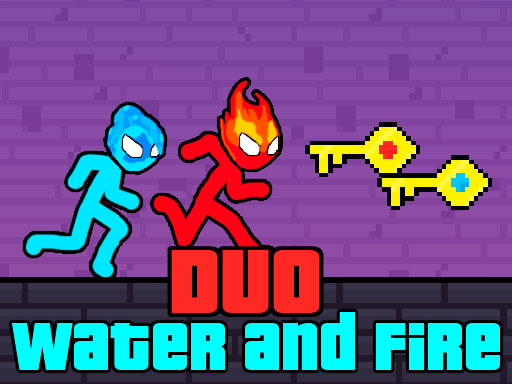
Duo Water and Fire
3,194
Join Stickman Fire and Water on an exciting adventure where you play as two siblings with unique abilities. One sibling controls the power of fire, while the other wields the strength of water. Your mission is clear: navigate through various levels, collect both the red key representing fire and the blue key symbolizing water, gather all the gold you can find, and reach the exit door. Along the way, expect challenges that test your problem-solving skills as you overcome obstacles designed like puzzles. Get ready for an engaging mix of action and brain-teasing fun!
Recommended Games
★ 4.1
Garten of Banban Obby
Steve uses WASD keys for movement and jumping. Alex utilizes arrow keys for navigation and leaping. Players can also opt for mobile controls.
6,565

★ 4.8
Table Pong
Keyboard: Up arrow key, Down arrow key, Left arrow key, Right arrow key, W, A, S, D. Mobile: Arrow keys that appear on the screen allow players to move their character up, down, left, or right in the game.
3,101

★ 4.6
Black and White Stickman
Collect all badges to activate the Black Hole featurePlayable on desktop and mobile platformsJump using the W key or the Arrow up key to navigate through levels and collect items that unlock further areas and challenges.
7,114
★ 4.9
Aquapark Balls Party
Player 1 uses A and D keys or left-right arrows to move. Player 2 uses left-right arrows to move. Both players navigate their characters horizontally across the screen, responding to challenges or objectives specific to the game.
7,057

★ 4.6
Bitcoin Mining Simulator X
Click bitcoin to earn and watch ads for bonus coins. Collect coins to unlock new levels and features. Trade or hold bitcoins as their value fluctuates in real-time. Engage in mini-games to accelerate coin growth.
5,490
★ 4.1
Kingdom of Toilets
Navigate using WASD or arrow keys, swipe for mobile control. Double jump to reach higher platforms, explore and collect items.
7,937
★ 4.3
GrowWars.io
In this game, Player 1 uses W A S D for movement and F for attack, with G for dash. Player 2 navigates using arrow keys, attacks with K, and dashes with L. Both players aim to navigate the game environment effectively by combining movement, attacking, and dashing strategically to overcome challenges and defeat opponents.
7,091

★ 4.4
Would you Rather?
Select a question from the available options. Each selection leads to a unique challenge or puzzle that tests different skills or knowledge areas. Answer correctly to progress or learn more about the topic.
5,530

★ 4.3
Aqua Dogy
Collect all badges to activate the Black Hole featurePlayable on desktop and mobile platformsJump using the W key or the Arrow up key
3,015
★ 4.6
MC8Bit
Navigate using WASD keys for PC or arrow keys for alternative keyboard input. For mobile users, intuitive touch controls are available, allowing smooth movement through simple screen taps or swipes.
3,452

★ 4.1
MCATLANTS
Played with WASD, arrow keys, or mobile touch controls. To throw the sword, press Q or P.
3,749
★ 4.1
Steve and Alex Dungeons
Navigate using WASD keys for PC or arrow keys. For mobile devices, swipe on the screen to move. This intuitive control scheme allows players to easily maneuver in the game, enhancing accessibility and playability across different platforms.
5,562